May 26, 2026
May 26, 2026
How to Create a Consistent Style for AI-Generated Images (Without Losing Your Brand Identity)
Learn how to create a consistent style for AI-generated images using Midjourney, moodboards, style references, and custom AI models. A practical guide for brands, marketers, and creators.
Learn how to create a consistent style for AI-generated images using Midjourney, moodboards, style references, and custom AI models. A practical guide for brands, marketers, and creators.
AI image generation is moving fast but consistency is still where most people get stuck. One image looks perfect, the next feels like it came from a different brand entirely. That gap is what separates experimental AI use from a real creative system. This guide shows you how to fix that.
Consistency Matters in AI-Generated Images
AI image generation is a serious creative workflow for brands, agencies, marketers, ecommerce companies, and creators who need content at scale.
But there’s one major challenge almost everyone runs into:
You generate one amazing image… then the next one looks like it came from a completely different artist.
That inconsistency is what separates random AI art from a recognizable visual brand.
Building social campaigns, website graphics, product mockups, or branded content? Consistency is what makes your visuals feel intentional, professional, and trustworthy.
At Brynga, we help brands optimize creative systems that scale. And one of the biggest shifts happening right now is learning how to turn AI from a “cool tool” into a repeatable creative engine.
This guide breaks down the best methods for achieving a consistent AI image style – from simple style references to advanced custom-trained AI models.
What Is AI Style Consistency?
AI style consistency (you can use this consistency checker) means creating images that share the same:
Color palette
Mood and atmosphere
Lighting style
Illustration or photography aesthetic
Composition
Character design
Brand personality
Visual tone
Think of it like creating a visual language your audience instantly recognizes.
Without consistency, your brand can start to feel disconnected or generic. With consistency, AI-generated visuals become a scalable extension of your creative identity.
The 5 Best Ways to Create Consistent AI-Generated Images
1. Use Style Reference Images
One of the easiest ways to create consistency is by using a style reference image.
Most modern AI image generators now allow you to upload an image that acts as a visual guide for the AI model.
Popular tools that support this include:
Midjourney
Google Gemini
Krea
OpenArt
The AI studies the uploaded image and attempts to recreate similar:
Colors
Composition
Illustration style
Rendering techniques
Visual mood
Why This Works
Style references are fast, accessible, and beginner-friendly.
If you already have:
Brand visuals
Existing illustrations
Product photography
Mood imagery
Website screenshots
…you can instantly guide the AI toward a more recognizable aesthetic.
The Limitation
Because the AI only sees one image, results can vary wildly between generations.
The stronger you force the style influence (often through “image weight” settings), the more the AI may ignore your actual prompt instructions.
That means you sometimes sacrifice:
Detail
Accuracy
Prompt coherence
Creative flexibility
Still, this is one of the best starting points for brands experimenting with AI-assisted design workflows.
2. Build AI Moodboards
If one image isn’t enough, moodboards are the next level.
Platforms like Midjourney allow users to create collections of reference images that collectively define a visual style.
Instead of teaching the AI with one image, you train its direction using dozens.
This creates:
Stronger consistency
Better reproducibility
More predictable outputs
Clearer artistic identity
How Moodboards Improve Brand Consistency
Moodboards (Canva helps you make moodboards) help AI understand:
Texture preferences
Color relationships
Composition patterns
Lighting direction
Typography aesthetics
Fashion styles
Cinematic tone
For brands, this becomes incredibly powerful.
A well-built moodboard can become the foundation of:
Social media content
Ad creative systems
Product launches
Brand photography
Presentation decks
Landing page visuals
Brynga Tip: Keep Moodboards Focused
A common mistake is mixing too many visual styles together.
For example:
Realistic photography
Cartoon illustrations
Abstract art
3D renders
…all in one board.
The AI then produces confused hybrid outputs.
Instead:
Build separate moodboards for different creative goals
Keep the aesthetic direction tight
Use 20–50 images minimum for stronger consistency
3. Use Midjourney Style Reference Codes
One of the most powerful AI style consistency tools available today is the Style Reference Code system in Midjourney.
Using the --sref parameter, users can apply predefined visual styles directly into prompts.
Example:
/imagine futuristic fashion campaign --sref 2487361/imagine futuristic fashion campaign --sref 2487361Each style code corresponds to a visual aesthetic extracted from Midjourney’s training ecosystem.
Why Designers Love Style Codes
Style codes create:
Extremely recognizable aesthetics
Highly repeatable outputs
Faster workflow consistency
Reliable campaign visuals
This is ideal for:
Marketing campaigns
Editorial visuals
Brand systems
Product launches
Content series
The Tradeoff
The stronger the style influence, the less flexible your prompts become.
For example:
If the style favors muted earth tones, asking for neon cyberpunk visuals may not work well.
So while style codes are fantastic for consistency, they can limit creative adaptability.
4. Use Character and Object References
Consistency isn’t just about style.
Sometimes you need the same person, mascot, or product to appear across multiple scenes.
This is where:
Omni-reference
Character reference
Object reference
…become incredibly valuable.
These tools allow AI to preserve:
Facial features
Clothing details
Product shape
Brand mascots
Design elements
…while changing:
Environment
Camera angle
Pose
Lighting
Scene composition
Best Use Cases
Character and object references are ideal for:
Ecommerce product photography
Illustrated mascots
AI influencers
Storyboarding
Game design
Children’s books
Brand characters
Explainer animations
This is one of the biggest breakthroughs in scalable AI creative production.
5. Train Your Own AI Model
If you need serious precision, custom AI model training is where things get interesting.
Platforms like:
Krea
OpenArt
Artflow
…allow you to upload your own dataset and train personalized AI models in the cloud.
This is how brands create:
Fully recognizable visual identities
Consistent product rendering
Repeatable character generation
Proprietary illustration styles
AI brand systems
How Custom AI Training Works
You upload a collection of images that share:
Colors
Style traits
Design language
Subjects
Artistic direction
The AI learns the recurring patterns and reproduces them in future generations.
The Most Important Rule
The AI only learns what you show it.
If your dataset only contains:
White backgrounds
One camera angle
One lighting setup
…your generations will feel repetitive and limited.
A strong dataset includes:
Multiple angles
Different lighting conditions
Diverse compositions
Consistent brand traits
High-quality imagery
Best Practices for AI Image Consistency
Define What Should Stay Consistent
Before generating anything, decide:
Fixed Elements
Brand colors
Typography style
Lighting mood
Character appearance
Composition style
Flexible Elements
Environments
Camera angles
Props
Backgrounds
Seasonal variations
This prevents the AI from overfitting or drifting visually.
Common Mistakes Brands Make With AI Visuals
1. No Creative Direction
Random prompts create random brands.
AI still needs strategy.
2. Mixing Too Many Styles
Consistency disappears when every image follows a different visual language.
3. Weak Prompting
Specific prompts produce stronger consistency than vague instructions.
Instead of:
“Create a modern image”
Try:
“Minimal editorial product photography with muted earth tones, soft shadows, cinematic lighting, premium Scandinavian aesthetic.”
4. Ignoring Brand Systems
AI should support your brand, not replace it.
The best AI workflows still rely on:
Brand guidelines
Art direction
Creative strategy
Human oversight
Real Business Use Cases for Consistent AI Imagery
Businesses are already using AI consistency systems for:
Ecommerce product visuals
Website graphics
Presentation decks
Social campaigns
Ad creative
Brand mascots
Packaging mockups
Training materials
Editorial content
Storyboards
UI/UX design systems
Event branding
Print collateral
The companies winning with AI aren’t using it randomly.
They’re building systems.
The Future of Creative Workflows Is Hybrid
AI isn’t replacing creative direction.
It’s amplifying it.
The strongest brands combine:
Human strategy
Creative systems
AI generation
Workflow optimization
Brand governance
That’s where the real growth happens.
At Brynga, we help businesses build scalable creative workflows that combine AI, branding, and production systems into one cohesive growth engine.
Because the goal isn’t just generating more content.
It’s generating recognizable content that actually grows the brand.
FAQ: AI Style Consistency
How do I make AI-generated images look consistent?
Use style references, moodboards, character references, or custom-trained models to guide the AI toward a repeatable visual identity.
What is the best AI image generator for consistent branding?
Midjourney is currently one of the strongest tools for style consistency because of its moodboards, style references, and style code system.
Can I train AI on my brand style?
Yes. Platforms like Krea and OpenArt allow brands to train custom AI models using their own visual datasets.
Are AI-generated brand visuals copyright safe?
This depends on the platform, dataset, and intended commercial use. Always review the licensing and commercial usage terms of the AI tool you’re using.
Do I need design experience to use AI image generators?
Not necessarily, but strong creative direction and brand strategy dramatically improve results.
AI rewards clarity.
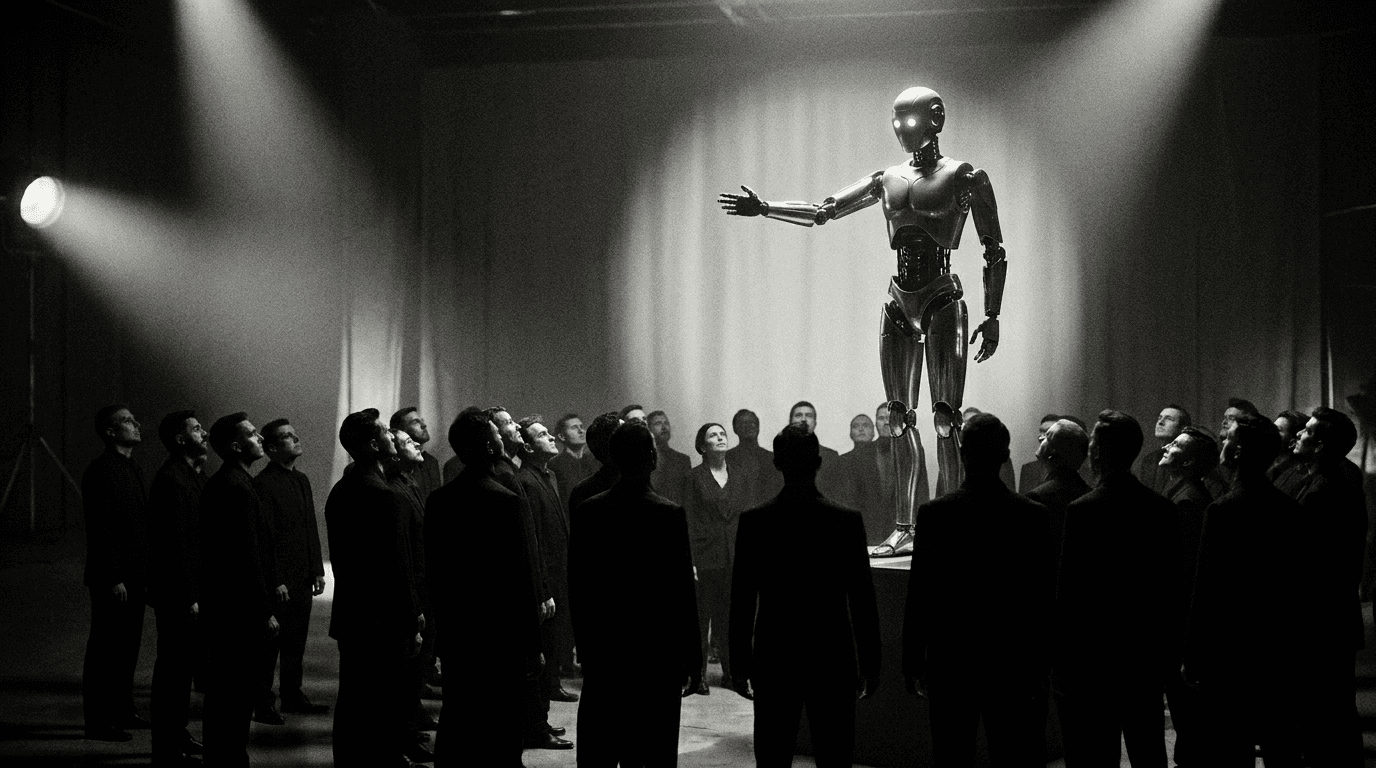


AI image generation is moving fast but consistency is still where most people get stuck. One image looks perfect, the next feels like it came from a different brand entirely. That gap is what separates experimental AI use from a real creative system. This guide shows you how to fix that.
Consistency Matters in AI-Generated Images
AI image generation is a serious creative workflow for brands, agencies, marketers, ecommerce companies, and creators who need content at scale.
But there’s one major challenge almost everyone runs into:
You generate one amazing image… then the next one looks like it came from a completely different artist.
That inconsistency is what separates random AI art from a recognizable visual brand.
Building social campaigns, website graphics, product mockups, or branded content? Consistency is what makes your visuals feel intentional, professional, and trustworthy.
At Brynga, we help brands optimize creative systems that scale. And one of the biggest shifts happening right now is learning how to turn AI from a “cool tool” into a repeatable creative engine.
This guide breaks down the best methods for achieving a consistent AI image style – from simple style references to advanced custom-trained AI models.
What Is AI Style Consistency?
AI style consistency (you can use this consistency checker) means creating images that share the same:
Color palette
Mood and atmosphere
Lighting style
Illustration or photography aesthetic
Composition
Character design
Brand personality
Visual tone
Think of it like creating a visual language your audience instantly recognizes.
Without consistency, your brand can start to feel disconnected or generic. With consistency, AI-generated visuals become a scalable extension of your creative identity.
The 5 Best Ways to Create Consistent AI-Generated Images
1. Use Style Reference Images
One of the easiest ways to create consistency is by using a style reference image.
Most modern AI image generators now allow you to upload an image that acts as a visual guide for the AI model.
Popular tools that support this include:
Midjourney
Google Gemini
Krea
OpenArt
The AI studies the uploaded image and attempts to recreate similar:
Colors
Composition
Illustration style
Rendering techniques
Visual mood
Why This Works
Style references are fast, accessible, and beginner-friendly.
If you already have:
Brand visuals
Existing illustrations
Product photography
Mood imagery
Website screenshots
…you can instantly guide the AI toward a more recognizable aesthetic.
The Limitation
Because the AI only sees one image, results can vary wildly between generations.
The stronger you force the style influence (often through “image weight” settings), the more the AI may ignore your actual prompt instructions.
That means you sometimes sacrifice:
Detail
Accuracy
Prompt coherence
Creative flexibility
Still, this is one of the best starting points for brands experimenting with AI-assisted design workflows.
2. Build AI Moodboards
If one image isn’t enough, moodboards are the next level.
Platforms like Midjourney allow users to create collections of reference images that collectively define a visual style.
Instead of teaching the AI with one image, you train its direction using dozens.
This creates:
Stronger consistency
Better reproducibility
More predictable outputs
Clearer artistic identity
How Moodboards Improve Brand Consistency
Moodboards (Canva helps you make moodboards) help AI understand:
Texture preferences
Color relationships
Composition patterns
Lighting direction
Typography aesthetics
Fashion styles
Cinematic tone
For brands, this becomes incredibly powerful.
A well-built moodboard can become the foundation of:
Social media content
Ad creative systems
Product launches
Brand photography
Presentation decks
Landing page visuals
Brynga Tip: Keep Moodboards Focused
A common mistake is mixing too many visual styles together.
For example:
Realistic photography
Cartoon illustrations
Abstract art
3D renders
…all in one board.
The AI then produces confused hybrid outputs.
Instead:
Build separate moodboards for different creative goals
Keep the aesthetic direction tight
Use 20–50 images minimum for stronger consistency
3. Use Midjourney Style Reference Codes
One of the most powerful AI style consistency tools available today is the Style Reference Code system in Midjourney.
Using the --sref parameter, users can apply predefined visual styles directly into prompts.
Example:
/imagine futuristic fashion campaign --sref 2487361Each style code corresponds to a visual aesthetic extracted from Midjourney’s training ecosystem.
Why Designers Love Style Codes
Style codes create:
Extremely recognizable aesthetics
Highly repeatable outputs
Faster workflow consistency
Reliable campaign visuals
This is ideal for:
Marketing campaigns
Editorial visuals
Brand systems
Product launches
Content series
The Tradeoff
The stronger the style influence, the less flexible your prompts become.
For example:
If the style favors muted earth tones, asking for neon cyberpunk visuals may not work well.
So while style codes are fantastic for consistency, they can limit creative adaptability.
4. Use Character and Object References
Consistency isn’t just about style.
Sometimes you need the same person, mascot, or product to appear across multiple scenes.
This is where:
Omni-reference
Character reference
Object reference
…become incredibly valuable.
These tools allow AI to preserve:
Facial features
Clothing details
Product shape
Brand mascots
Design elements
…while changing:
Environment
Camera angle
Pose
Lighting
Scene composition
Best Use Cases
Character and object references are ideal for:
Ecommerce product photography
Illustrated mascots
AI influencers
Storyboarding
Game design
Children’s books
Brand characters
Explainer animations
This is one of the biggest breakthroughs in scalable AI creative production.
5. Train Your Own AI Model
If you need serious precision, custom AI model training is where things get interesting.
Platforms like:
Krea
OpenArt
Artflow
…allow you to upload your own dataset and train personalized AI models in the cloud.
This is how brands create:
Fully recognizable visual identities
Consistent product rendering
Repeatable character generation
Proprietary illustration styles
AI brand systems
How Custom AI Training Works
You upload a collection of images that share:
Colors
Style traits
Design language
Subjects
Artistic direction
The AI learns the recurring patterns and reproduces them in future generations.
The Most Important Rule
The AI only learns what you show it.
If your dataset only contains:
White backgrounds
One camera angle
One lighting setup
…your generations will feel repetitive and limited.
A strong dataset includes:
Multiple angles
Different lighting conditions
Diverse compositions
Consistent brand traits
High-quality imagery
Best Practices for AI Image Consistency
Define What Should Stay Consistent
Before generating anything, decide:
Fixed Elements
Brand colors
Typography style
Lighting mood
Character appearance
Composition style
Flexible Elements
Environments
Camera angles
Props
Backgrounds
Seasonal variations
This prevents the AI from overfitting or drifting visually.
Common Mistakes Brands Make With AI Visuals
1. No Creative Direction
Random prompts create random brands.
AI still needs strategy.
2. Mixing Too Many Styles
Consistency disappears when every image follows a different visual language.
3. Weak Prompting
Specific prompts produce stronger consistency than vague instructions.
Instead of:
“Create a modern image”
Try:
“Minimal editorial product photography with muted earth tones, soft shadows, cinematic lighting, premium Scandinavian aesthetic.”
4. Ignoring Brand Systems
AI should support your brand, not replace it.
The best AI workflows still rely on:
Brand guidelines
Art direction
Creative strategy
Human oversight
Real Business Use Cases for Consistent AI Imagery
Businesses are already using AI consistency systems for:
Ecommerce product visuals
Website graphics
Presentation decks
Social campaigns
Ad creative
Brand mascots
Packaging mockups
Training materials
Editorial content
Storyboards
UI/UX design systems
Event branding
Print collateral
The companies winning with AI aren’t using it randomly.
They’re building systems.
The Future of Creative Workflows Is Hybrid
AI isn’t replacing creative direction.
It’s amplifying it.
The strongest brands combine:
Human strategy
Creative systems
AI generation
Workflow optimization
Brand governance
That’s where the real growth happens.
At Brynga, we help businesses build scalable creative workflows that combine AI, branding, and production systems into one cohesive growth engine.
Because the goal isn’t just generating more content.
It’s generating recognizable content that actually grows the brand.
FAQ: AI Style Consistency
How do I make AI-generated images look consistent?
Use style references, moodboards, character references, or custom-trained models to guide the AI toward a repeatable visual identity.
What is the best AI image generator for consistent branding?
Midjourney is currently one of the strongest tools for style consistency because of its moodboards, style references, and style code system.
Can I train AI on my brand style?
Yes. Platforms like Krea and OpenArt allow brands to train custom AI models using their own visual datasets.
Are AI-generated brand visuals copyright safe?
This depends on the platform, dataset, and intended commercial use. Always review the licensing and commercial usage terms of the AI tool you’re using.
Do I need design experience to use AI image generators?
Not necessarily, but strong creative direction and brand strategy dramatically improve results.
AI rewards clarity.